Posts

Showing posts with the label week 6

Prototype for my space game

Image
Where do I even begin? Firstly, I'm having a bit of trouble with Unity3D. I've had no big issues with it per se, but many annoying quirks which make it hard to work with. One of them is that every version of Unity looks slightly different. Different enough to make following tutorials for older versions a huge pain in the neck. Why do they gotta keep changing stuff? Secondly, I may have gone way overboard with the ideas for my game in the GDD, which I attribute to the copious amounts of cannabis consumed by me that night. In hindsight, that was an awful idea, but here we are now I guess. I think the best way to salvage my game is to make it in four degrees of freedom, put everything on a flat plane and give it zero friction to simulate zero-g. Let's do that then, shall we? So here's Level 1 of my game.  The player spawns in and immediately witnesses a huge explosion (purple hexagon). A space station is blown up. To the right there's the two major fac...
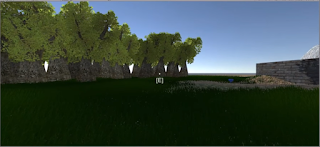
Unity Tutorial 05

Image
The first thing we created is more UI objects. The first one was text that shows what button we need to hit. We can move what the looks like (fonts, alignments, colour, etc), and where it is on the screen. We also added a subtitle to say what the hotkey does, in this case, it picks up a gem. Another thing we made was a custom crosshair, and then added it to the UI. Then we added a script to pick up the gem and play a sound when we do so. The second video talks about animation. We also added more objects (like the fence) into the game 3D environment, and made it solid. Another thing we did was we gave the player a weapon and created a simple attack animation. In the last video we learned about layering which fixed the issue of the axe going underground when the player looked down and we also added a script to play a "whoosh" sound whenever the axe was swung. There was several different ways to do it, each slightly different in code and in function. T...

Astral Authority Game Design Document

Image
Note:  After writing up everything I have so far in a word document, I found out about tool that's much better called  dundoc . I will transfer all my information to that later. For now let's see what ideas I have for my game. Link to PDF of my (WIP) game design document In my GDD, I described what the game will be like, how it will play, what features will it have. (image source) It is a semi-open world (there will be separate star systems) casual space flight and combat simulator role-playing game (hefty name I know). It will involve dog fighting, some politics, and lots of friends and enemies. There will be an AI that tags along with the player. The HUD will look like the ship's console and the player will be able to use it by clicking it or pressing hotkeys. Several different ship and weapon types that progressively improve. I really look forward to developing the game.

Games GDD

Image
This week's reading walks us through many important points we have to consider while developing a game. While it does talk about board and card games, a lot of these rules will also apply to video games. The first point that is brought up is "Components"  of the game. This can mean many things, for example cards, dice, or even Monopoly money and property cards. We are taught to be mindful of colour-blind players and to keep components of the same type looking similar. So in videogames this could mean to have enemies' colour coded or  look similar to each other. This shows an easy way to add "colourblind mode" to games The second point talks about "The Box" of the game. We learn about the do's and don'ts of game packaging. One important thing to keep in mind is to make the title of the game big on the side of the box so potential buyers can see what it is easily. This is a box art database, we could pick some good ones? ...