Posts

Showing posts with the label week 7

Wikipedia Trail from Unity3D to Adolf Hitler

For this Wikipedia trail I have decided to step it up a notch and play the Wikipedia Hitler game, where you pick a random article (not random in my case) and try to get to Hitler in as little clicks as possible. I started with  the wikipedia page for Unity  and decided to go from there. I learned a bit about Unity, for example, did you know that Unity is compatible with pretty much any platform? PC, Mac, consoles, VR headsets, Unity's got it all! I think that's pretty cool because you can just make your game once, rather than having to change parts of code for different systems and having to play around with that. Next I went to  C#  and I understood basically none of it (hint: if you switch the language in the link to "simple", it gives you the article in simpler words, so instead of en.wikipedia.com, you put in simple.wikipedia.com). It was actually designed by Microsoft ! So that was my next stop. Microsoft's page has an image of Buzz Aldrin using their Ho...

Tech Task - Cheezburger Meme

Image
For this week's tech task I have created a meme Yes, a meme. I made this atrocity. Comic Sans MS italics, with a drop shadow just to spite all of you seeing this. I love you too :) It is 5:36am and I am very tired. Goodnight To make it, I used cheezburger and picked an image out of the list in the builder So that's all well and good but it feels a bit 2008-ish. Outdated, if you will. Let's modernise it a bit. Today's kids love deep fried memes, emojis and cartoons. So I wanted to see how far I could go. It's fantastic and I love it.

Unity Tutorial 06

Image
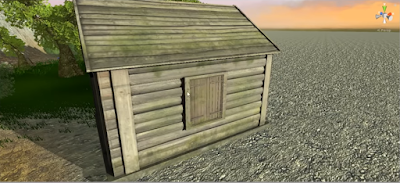
This week, in Unity, I learned about skyboxes, pickable objects,  A skybox is basically what the sky looks like and how it lights up the scene. They are very important because they can really set the mood in the game. We can change the intensity of the directional light or turn it off completely. Wind zones make trees and grass rustling in the rush, though we first had to change some settings with the grass to make it work. Next, we learned how to add an object (an axe in this case) into the game, and then how to allow the player to pick it up in the game world.To do that we used a collider, which is similar to a hitbox. We added a script which prompts the user to press a button to pick the object up. We also added a simple script to make the screen fade in from black when the player starts the game. Lastly, we learned how to make the screen fade out and we also added extra 3D objects to our environment, like a house and change its properties.  I'm looking forward to ...

Games Decisions

Image
In this week's reading (I actually read the right one ) we learn about the psychological process behind a player's reasoning for their actions in-game.  We learn about learning curves in apps and games and how a simple app's learning curve compares to a complex one. In short, the simple app will have less features but will also be easier to use (an example could be MS Paint), whereas a more complex app will have a steeper learning curve but more features (like Adobe Photoshop ).  A game's learning curve steadily increases in bumps to give the player the best satisfaction. They learn to play the game better, upgrade their items, and along with that the difficulty steadily increases. We also learned about the STARS atom (Skills, Tools & Actions, Rules, Stimulus). 1. Skills What is the player able to do? 2. Tools & Action What does the player actually do? 3. Rules What happens in the game? How does the game react to the player's actions? 4. St...